Download Client
To play TheOtServer you need a Tibia 8.60-compatible client. We provide the TheOtServer Client (based on OTCv8, the modern open-source client built specifically for 8.60 servers) — our own skin on the same fast engine, with a built-in auto-updater.
★ Recommended TheOtServer Client Windows · based on OTCv8 · built-in auto-updater Auto-connects to play.theotserver.com:7171 — no setup needed ›
Also available for:
Linux
Need help connecting? Join our Discord.
This isn't just a reskinned OTCv8 — we build real custom features into it that don't exist in a stock client. The Limit Break gauge below only exists because of our own Conqueror vocation, and the branded login screen is one of many custom touches. Custom item sprites and more mechanics are already planned.
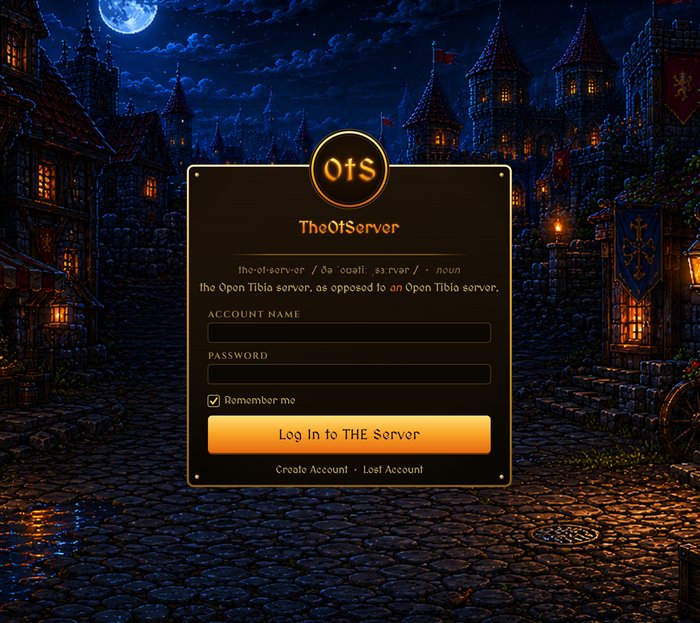
Custom branded login screen

Limit Break gauge — built for the Conqueror vocation

Monsters on your minimap — see what lives where
Is it safe? Yes — downloads straight from GitHub, checksum verified.
The client downloads straight from GitHub over HTTPS, not a random file host, and every release publishes a SHA-256 checksum you can verify yourself (shown below). It's built on OTCv8, the standard open-source Tibia 8.60 client engine used across the OT community.
The Windows warning: on first launch Windows may say "Windows protected your PC — Unknown publisher". That is normal for indie clients that are not code-signed — it does not mean the file is unsafe. Click More info → Run anyway. Some antivirus tools may also flag OTClient-based game clients as a false positive for the same reason.
Verify your download — SHA-256:
Windows:
Linux:
The Windows warning: on first launch Windows may say "Windows protected your PC — Unknown publisher". That is normal for indie clients that are not code-signed — it does not mean the file is unsafe. Click More info → Run anyway. Some antivirus tools may also flag OTClient-based game clients as a false positive for the same reason.
Verify your download — SHA-256:
Windows:
2ff9b471ff82142940d11d71f8c0c3c5bd02f7e4200d0d6457e91b52eb6dd131
Linux:
c86fbe38b21c544da51b3d80634c7f0c55d9d852f4d7ec2d90e1de41814a5e2a
Linux: requirements and how to run
The Linux client downloads as a zip. Extract it anywhere, open a terminal in the extracted folder and start it with
Updates: the game modules and data update automatically every time you start the client, just like on Windows. The engine binary itself does not self-update on Linux yet — when we publish a new engine build, download the Linux zip again.
./otclient_linux. You need a normal desktop Linux with a working OpenGL graphics stack (Mesa, or the NVIDIA/AMD driver) and a running X11 session (Wayland desktops run it through XWayland). It needs a distribution with glibc 2.35 or newer: tested on Ubuntu 22.04 and 24.04, other distributions with glibc 2.35+ should work.Updates: the game modules and data update automatically every time you start the client, just like on Windows. The engine binary itself does not self-update on Linux yet — when we publish a new engine build, download the Linux zip again.
Linux: "Permission denied" when running the client?
Your unzip tool should preserve the executable bit automatically, but if it doesn't:
chmod +x otclient_linux
then run it with ./otclient_linux.
4
Players Online